How to verify ActiveQ webhook signatures
ActiveQ signs every webhook delivery with HMAC-SHA256, so your endpoint can prove a request came from ActiveQ and reject old or altered ones. Verify the signature over the raw body, check the timestamp, and ignore events you have already handled.
The scheme
Each delivery is an HTTPS POST with a JSON body and these headers.
| Header | Value |
|---|---|
ActiveQ-Signature | t=<unix seconds>,v1=<hex>[,v1=<hex>]. During a secret rotation overlap there are two v1 values, newest secret first. |
ActiveQ-Event-Id | Unique id of the event. Use it to ignore a delivery you have already handled. |
ActiveQ-Event-Type | The event type, for example ticket.created. |
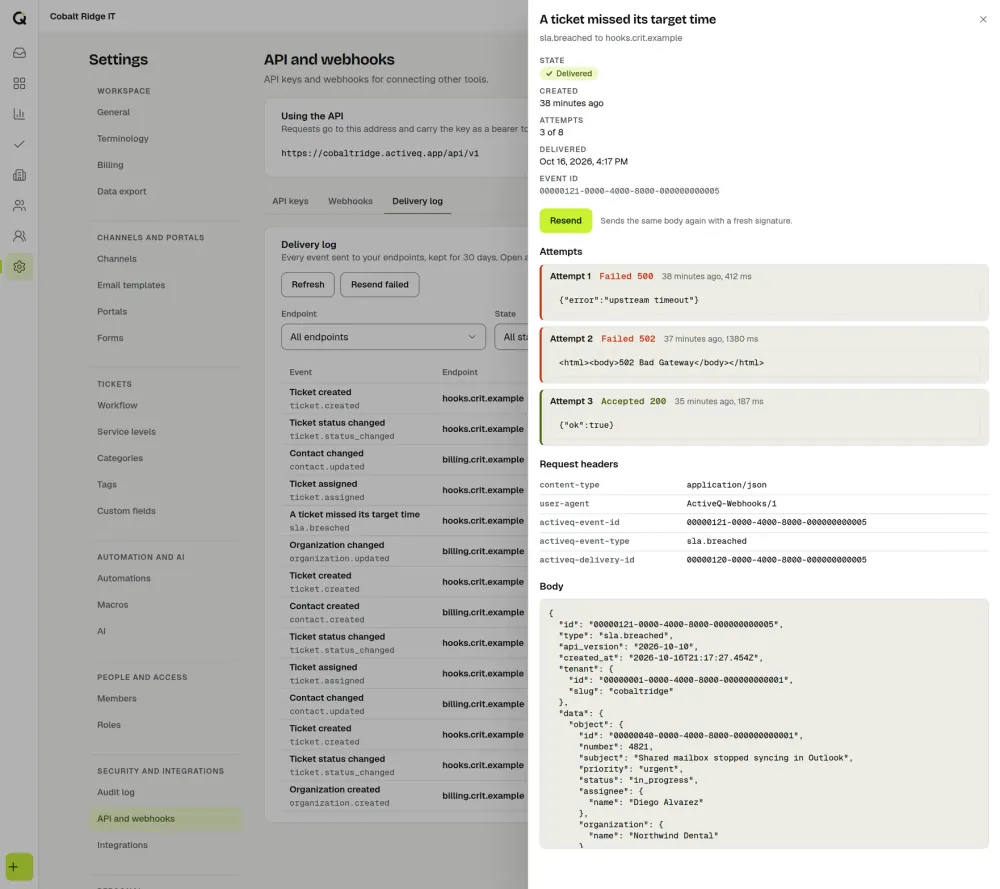
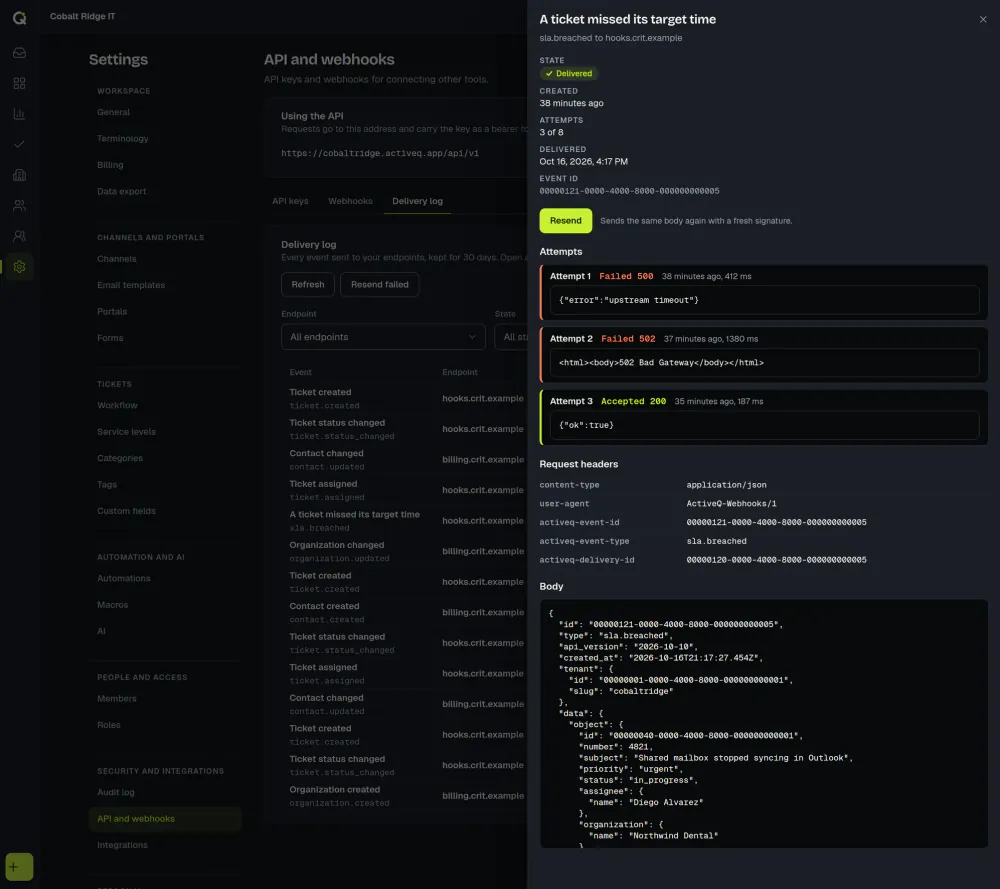
ActiveQ-Delivery-Id | Id of this delivery. It stays the same across retries of it. |
ActiveQ-Attempt | 1 for the first attempt, then 2, 3 and so on. |
User-Agent | ActiveQ-Webhooks/1 |
The signature is the hex form of HMAC-SHA256, keyed with your endpoint’s signing secret, over the string <t>.<raw body>: the timestamp, a dot, then the body exactly as it was received. The signing secret is shown once when you add the endpoint or roll the secret, so copy it then. Each endpoint has its own secret.
Steps to verify a delivery
- Read the raw body. Use the bytes as received. If your framework parses the JSON first, turn that off for this route, or capture the raw body. Re-serialised JSON has different bytes, and the signature will not match.
- Parse the header. Take
tand everyv1value. Reject the request if there is no usable timestamp. - Check the timestamp. Reject the delivery if
tis more than 300 seconds from the current time, in either direction. This is the replay window: a captured request cannot be sent again later. - Compute the expected signature from your secret,
tand the raw body. - Compare in constant time against every
v1value, and accept the delivery if any one matches. Two values are sent while you rotate a secret. - Dedupe on the event id. Deliveries are at least once and are not ordered, so the same event can arrive twice. Store the
ActiveQ-Event-Idvalues you have handled and skip repeats. - Answer with a 2xx status quickly and do the work afterwards. Any 2xx counts as delivered.
Node.js sample
This is the verification function from ActiveQ’s developer documentation. It needs Node 18 or later and no dependencies.
import { createHmac, timingSafeEqual } from "node:crypto";
// rawBody: the request body exactly as received (a Buffer or string), never re-serialized JSON.
export function verify(rawBody, signatureHeader, secret, nowSeconds = Math.floor(Date.now() / 1000)) {
  const parts = signatureHeader.split(",").map((p) => p.trim());
  const t = parts.find((p) => p.startsWith("t="))?.slice(2) ?? "";
  const candidates = parts.filter((p) => p.startsWith("v1=")).map((p) => p.slice(3));
  if (!/^[0-9]{1,12}$/.test(t) || Math.abs(nowSeconds - Number(t)) > 300) return false; // not plain digits, too old or too new
  const expected = createHmac("sha256", secret).update(t + "." + rawBody).digest();
  let ok = false;
  for (const c of candidates) {
    if (!/^[0-9a-f]{64}$/.test(c)) continue; // exactly 64 lowercase hex characters
    if (timingSafeEqual(Buffer.from(c, "hex"), expected)) ok = true; // check every candidate
  }
  return ok;
}Python sample
The same check in Python 3.10 or later, using only the standard library.
import hashlib, hmac, re, time
def verify(raw_body: bytes, signature_header: str, secret: str, now: float | None = None) -> bool:
    now = time.time() if now is None else now
    parts = [p.strip() for p in signature_header.split(",")]
    t = next((p[2:] for p in parts if p.startswith("t=")), "")
    candidates = [p[3:] for p in parts if p.startswith("v1=")]
    if not re.fullmatch(r"[0-9]{1,12}", t) or abs(now - int(t)) > 300:
        return False  # not plain ASCII digits, too old or too new
    expected = hmac.new(secret.encode(), t.encode() + b"." + raw_body, hashlib.sha256).hexdigest()
    ok = False
    for c in candidates:
        if re.fullmatch(r"[0-9a-f]{64}", c) and hmac.compare_digest(c, expected):
            ok = True  # check every candidate
    return ok
Both samples are the same code that appears on the API documentation page of your own workspace, at /api/v1/docs on your workspace address.
Common mistakes
- Verifying a re-serialised body instead of the raw bytes.
- Comparing signatures with a normal string comparison, which can leak timing information.
- Skipping the timestamp check, which leaves the endpoint open to replayed requests.
- Using the secret of a different endpoint. Each endpoint has its own.
- Checking only the first
v1value during a rotation. - A server clock that has drifted, which makes valid deliveries look stale. Keep clocks synchronised.
- Doing slow work before answering. ActiveQ stops waiting after 10 seconds and counts the attempt as failed.
Delivery behaviour to plan for
- The address must be a public HTTPS address on port 443. Redirects are not followed.
- A failed delivery is retried after 30 seconds, 2 minutes, 10 minutes, 30 minutes, 1 hour, 3 hours, 6 hours and 12 hours, about 22 hours in all.
- An endpoint that keeps failing is switched off, and Settings shows it as off with the reason “Repeated failures”. You can resend any delivery for 30 days.
- A body is capped at 256 KB. Above that, the object is left out,
truncatedis true, and the ids are kept so you can fetch the object from the API. - Under Settings, then API and webhooks, an endpoint has Send test and Roll secret actions. The delivery log shows each attempt.
Webhooks are part of the API and webhooks offering, and the security page describes how endpoints and secrets are protected. If something here does not match what you see, the about page has the contact details for asking.
New to the idea? Read what a webhook signature is first.
What stays on your side
The check happens in your code, on your server, and ActiveQ doesn’t verify signatures for you. Delivery is at least once and not ordered, so your endpoint must handle repeats. ActiveQ never sends to private addresses, plain HTTP addresses or other ports, and it doesn’t follow redirects. Verification samples are published for Node and Python; other languages follow the same steps. To connect ActiveQ to other apps, see the guide to connecting Zapier, Make and n8n.