ActiveQ API and webhooks
The ActiveQ API lets your own code read and write tickets, comments, contacts, organizations and tags with keys that act with a role you choose. Signed webhooks tell your systems when something changes, with a delivery log and resend.
Where the documentation lives
Every workspace serves its own API reference, generated from the same definitions the API enforces. It is public and needs no key.
https://<workspace>.activeq.app/api/v1/docsReplace <workspace> with your workspace name. An OpenAPI 3.1 document is at /api/v1/openapi.json on the same host. The API answers only on your own workspace address.
API keys
You choose the role a key acts with in Settings, API and webhooks. A key can do exactly what that role can do in the app, nothing more, and roles with administration permissions cannot be used for a key.
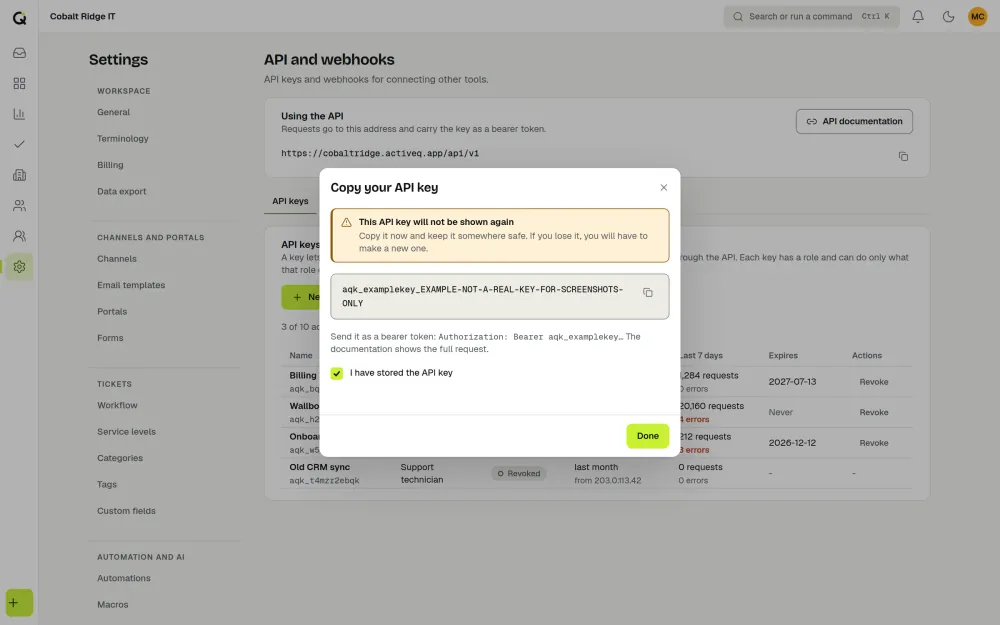
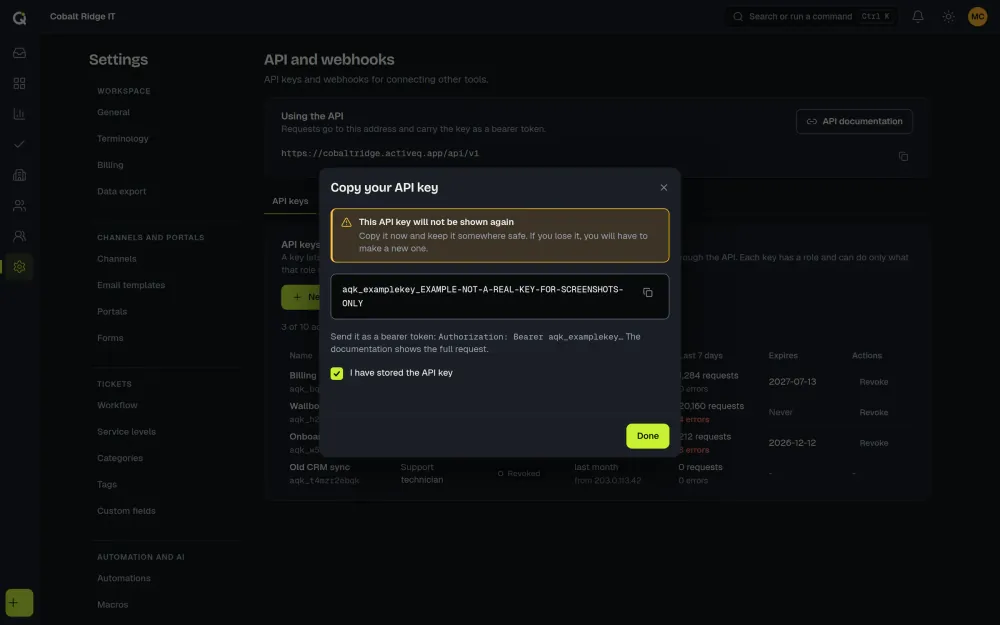
ActiveQ shows a key once, when you create it, and stores only a hash of it, so copy it then. You can revoke a key at any time and it stops working at once, or let it expire 30, 90 or 365 days after it is made; the expiry is chosen when it is created, and it can also be never. A workspace can have up to 10 active keys, and API keys do not count as agents on your plan. See pricing.
Everyone who sends a public reply, changes a ticket’s status or assigns a ticket must be an agent who holds a seat, including when they act through an API key. A key may serve software acting for your own agents, or an integration that acts without a person, such as monitoring, RMM or PSA sync. It may not give people without a seat, your own customers or another business’s staff access to work tickets. See the Terms (API section).
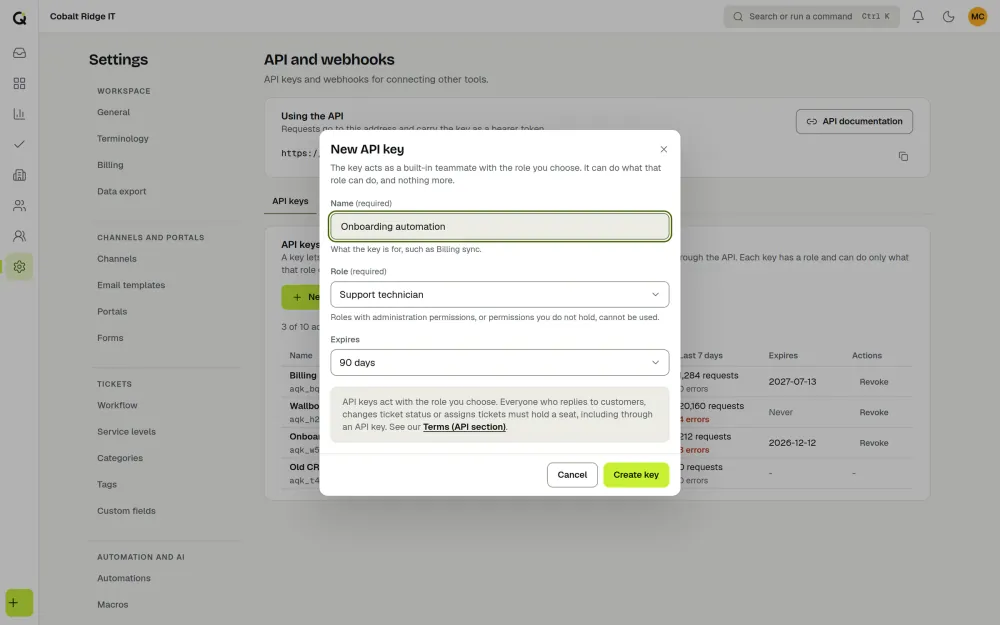
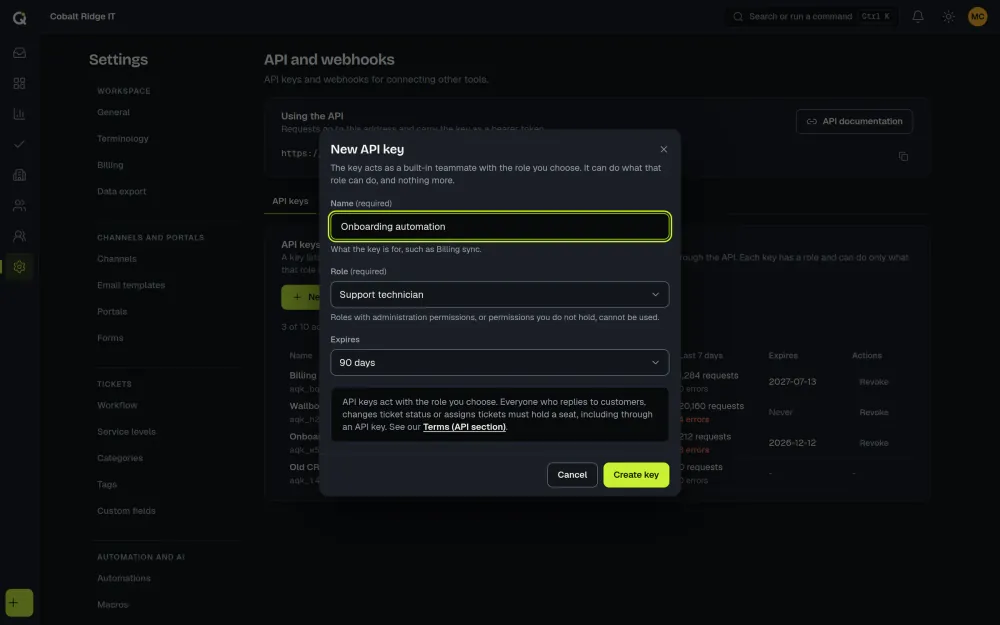
Keys belong on a server. Send the key in the Authorization: Bearer header; a key in a URL is refused.
What the API covers
- Tickets: list, get, create, change and delete, and add comments and tags.
- Contacts, organizations and tags: list, get, create, change and delete.
- Reference data: statuses, priorities, ticket types, categories and teams, plus the workspace’s members and the key’s own details.
Lists use cursors. Writes accept an Idempotency-Key header so a retry is applied once. Input is strict: a field that is not writable is refused and named, never silently ignored. Each key and each workspace has a per-minute budget, and going over it returns 429 with Retry-After. Version 1 changes only by adding fields, endpoints and event types.
Knowledge base endpoints
Under /api/v1/kb a key can list, search, read, create, edit and move articles through the review steps, following the same review rules and permissions as the app. See the knowledge base page.
Signed webhooks
A webhook sends an HTTPS POST to an address you choose when something happens in your workspace. Set them up in Settings, API and webhooks.
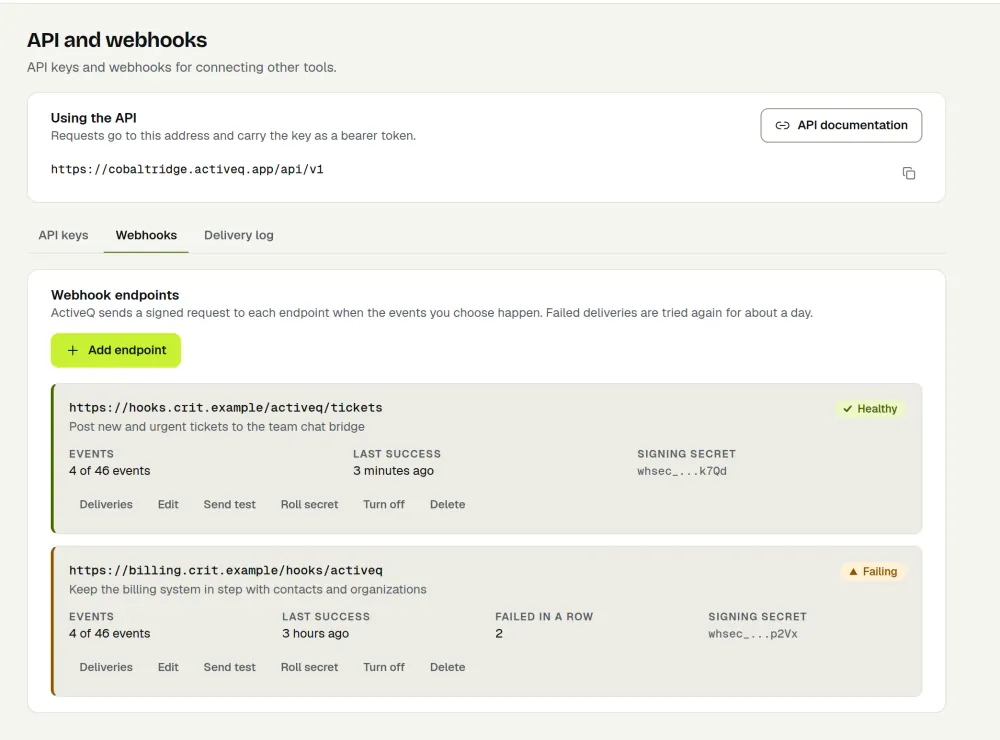
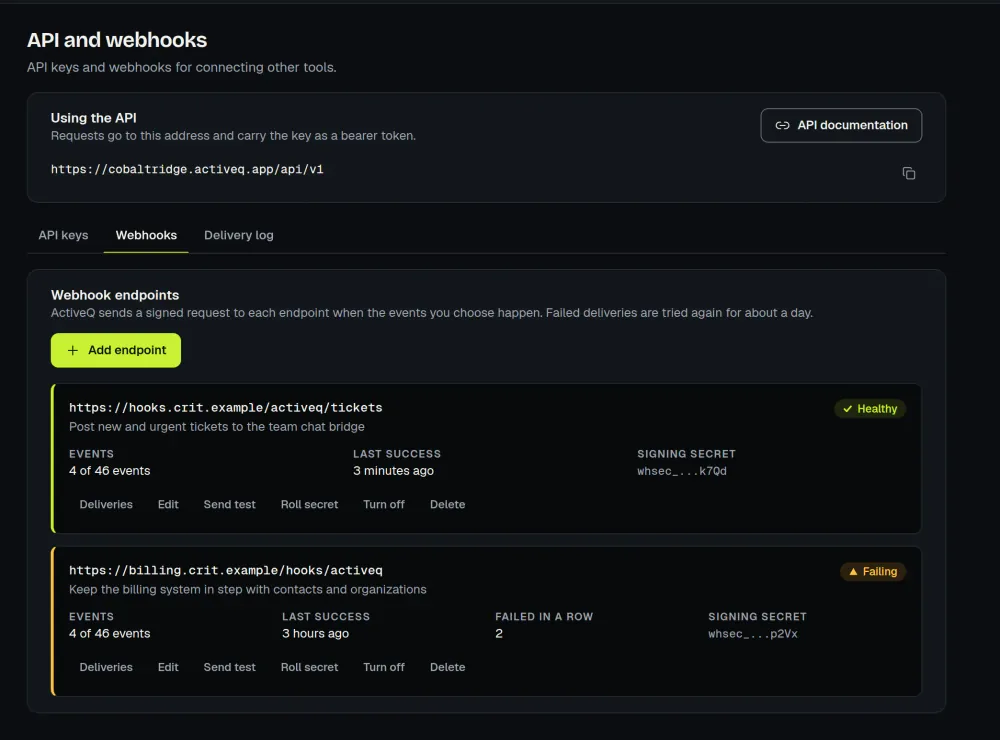
- Events. Ticket events (created, updated, assigned, status changed, message added and more), contact, organization and tag events, SLA warnings and breaches, approvals, member changes, and knowledge base events (
kb.article.published,kb.article.updated,kb.article.archived, which carry article details but not the text). New event types may be added. - Signature. Each delivery carries an
ActiveQ-Signatureheader of the formt=<unix seconds>,v1=<hex>. Thev1value is an HMAC-SHA256 of<t>.<raw body>with the endpoint’s signing secret. - Secrets. Each endpoint has its own secret, shown once. You can rotate it with an overlap, during which two
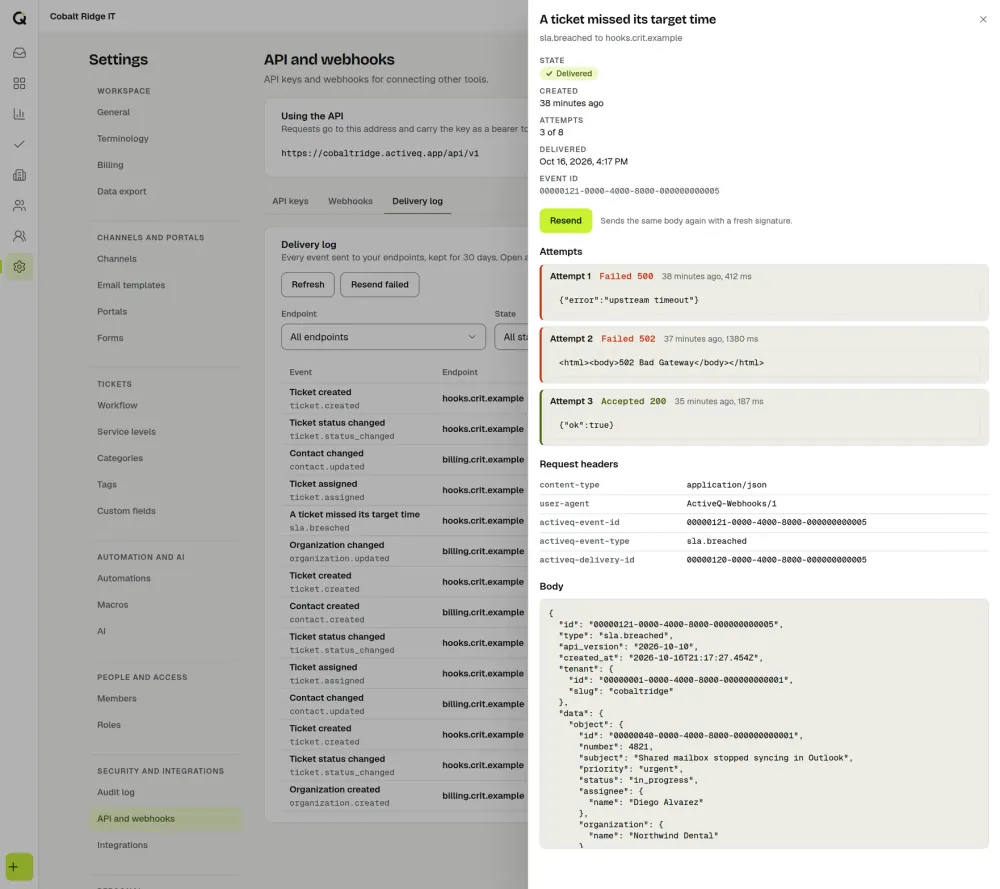
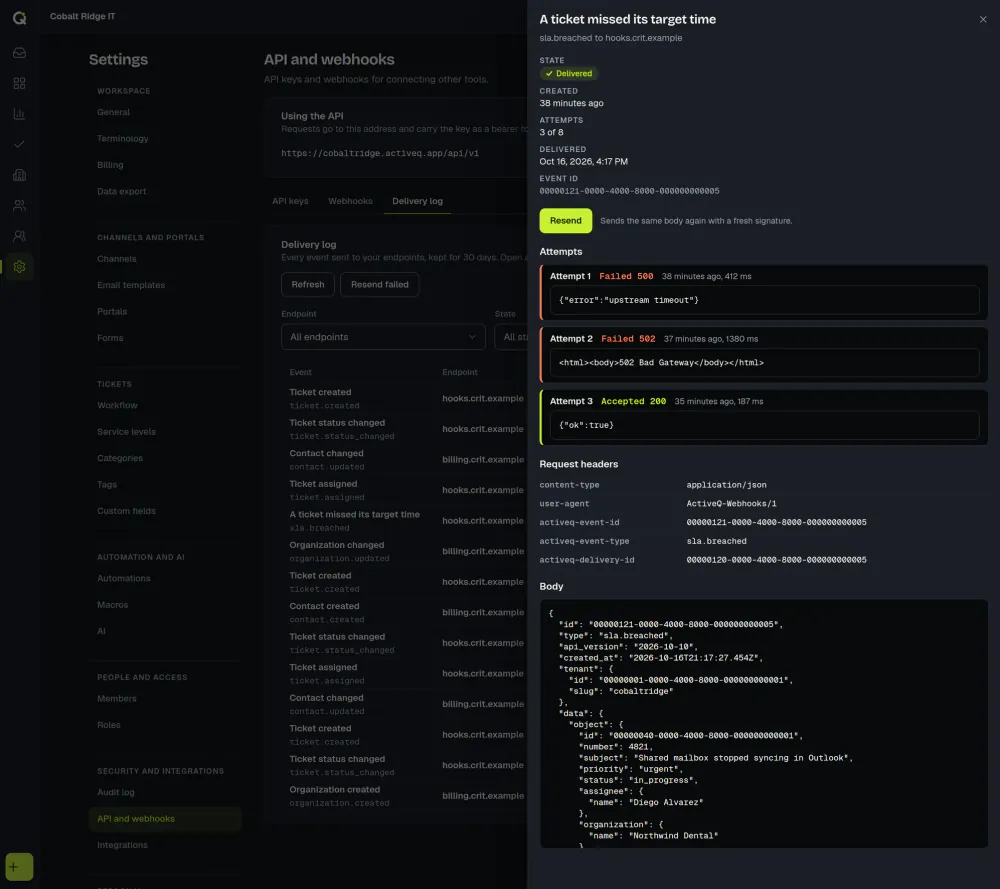
v1values are sent. - Delivery log and resend. Every attempt is logged for 30 days, and you can resend any delivery from the log, or resend the failed ones for an endpoint.
- Retries. A failed delivery is retried over about 22 hours. Any 2xx answer counts as delivered, deliveries are at least once and not ordered, and the
ActiveQ-Event-Idheader lets you ignore repeats. - Safe destinations. Addresses must be public HTTPS addresses on port 443. Redirects are not followed, and your server must answer within 10 seconds. An endpoint with no success for 72 hours is switched off.
- Internal notes. They are left out of webhook messages unless you turn them on for an endpoint.
Verify a signature
Verify the raw request body, exactly as received, never re-serialized JSON. Reject a delivery when t is more than 300 seconds from now, compare in constant time, and accept if any v1 value matches. The step-by-step guide to verifying webhook signatures explains each check.
Node.js
import { createHmac, timingSafeEqual } from "node:crypto";

// rawBody: the request body exactly as received (a Buffer or string), never re-serialized JSON.
export function verify(rawBody, signatureHeader, secret, nowSeconds = Math.floor(Date.now() / 1000)) {
  const parts = signatureHeader.split(",").map((p) => p.trim());
  const t = parts.find((p) => p.startsWith("t="))?.slice(2) ?? "";
  const candidates = parts.filter((p) => p.startsWith("v1=")).map((p) => p.slice(3));
  if (!/^[0-9]{1,12}$/.test(t) || Math.abs(nowSeconds - Number(t)) > 300) return false; // not plain digits, too old or too new
  const expected = createHmac("sha256", secret).update(t + "." + rawBody).digest();
  let ok = false;
  for (const c of candidates) {
    if (!/^[0-9a-f]{64}$/.test(c)) continue; // exactly 64 lowercase hex characters
    if (timingSafeEqual(Buffer.from(c, "hex"), expected)) ok = true; // check every candidate
  }
  return ok;
}
Python
import hashlib
import hmac
import re
import time


def verify(raw_body: bytes, signature_header: str, secret: str, now: float | None = None) -> bool:
    now = time.time() if now is None else now
    parts = [p.strip() for p in signature_header.split(",")]
    t = next((p[2:] for p in parts if p.startswith("t=")), "")
    candidates = [p[3:] for p in parts if p.startswith("v1=")]
    if not re.fullmatch(r"[0-9]{1,12}", t) or abs(now - int(t)) > 300:
        return False  # not plain ASCII digits, too old or too new
    expected = hmac.new(secret.encode(), t.encode() + b"." + raw_body, hashlib.sha256).hexdigest()
    ok = False
    for c in candidates:
        if re.fullmatch(r"[0-9a-f]{64}", c) and hmac.compare_digest(c, expected):
            ok = True  # check every candidate
    return ok
Automation platforms
You can connect ActiveQ to other apps without writing a server, through Zapier (invite-link app) or the generic webhook and REST API support of Make and n8n.
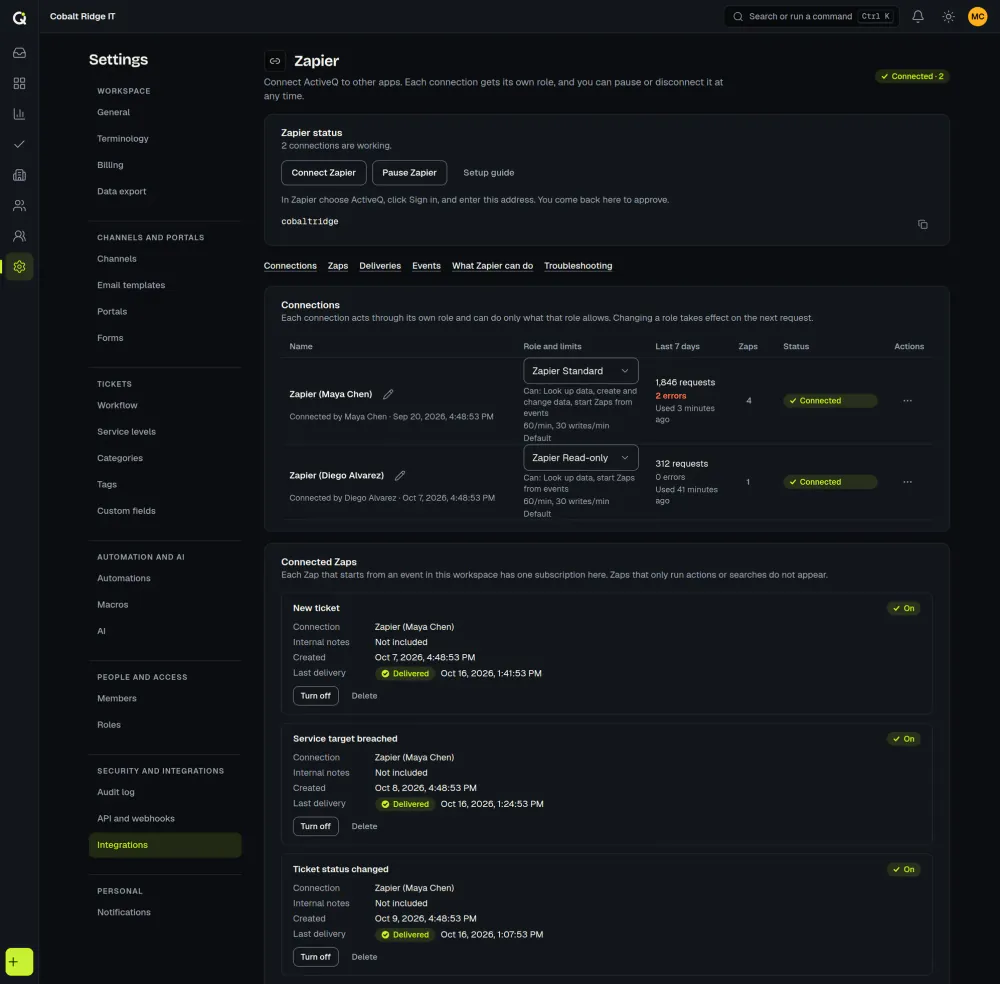
For Zapier, ActiveQ has an app that is in beta and that you add with a private invite link (it is not in Zapier’s public directory and it has not been through Zapier’s review). An administrator connects it from Settings, Integrations and approves it in ActiveQ with a role they choose, with no API key to copy, and it offers instant triggers, actions and searches for tickets, contacts and organizations. API keys stay available for your own code.
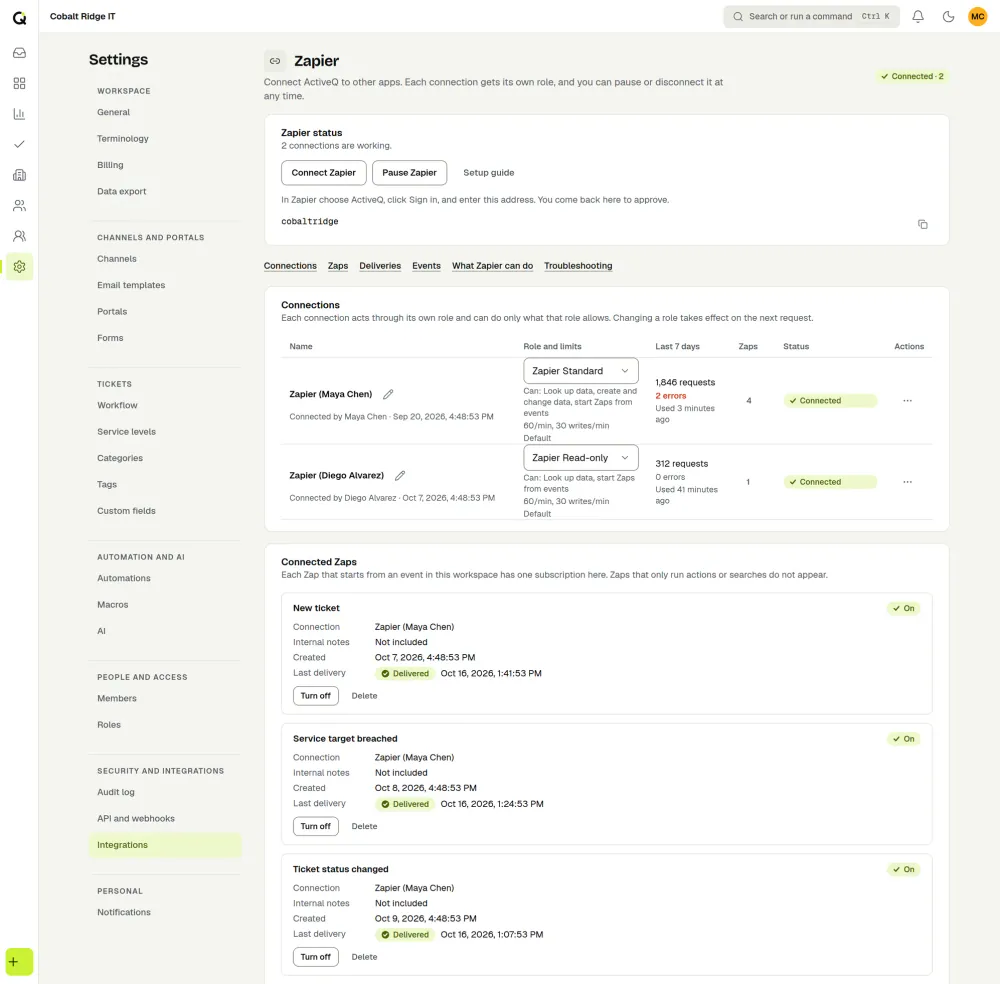
There is no ActiveQ app for Make or n8n yet. Both work today with the signed webhooks, through their generic webhook modules, and with the REST API using a Bearer key.
The guide to connecting ActiveQ to Zapier, Make and n8n covers connecting and approving, roles, limits, troubleshooting and a signature check you can paste into a code step.
Pricing and limits
The API and webhooks are included in every plan, which starts at $79.99 a month for 1 to 3 agents. Per-minute limits can be raised on request: write to support@activeq.app. See security for how webhook destinations are checked.
What a key and a webhook can reach
A key cannot do more than its role, and administration actions such as changing settings or members are not available through the API. Webhook messages do not include configuration, security or billing events. CSV import covers contacts and organizations.