ITSM lite: incident, request, problem and change without a CMDB
Light ITSM keeps the four core practices of incident, request, problem and change management and leaves out the heavy tooling around them. It suits teams that want clear categories and a paper trail without a configuration database or a change advisory board.
The four practices in plain terms
- Incident
- An unplanned interruption to a service, or a drop in its quality. The goal is to restore normal service quickly, even if the underlying cause is not yet understood.
- Service request
- A formal request for something that is expected and repeatable: access to a system, a new laptop, a password reset, a piece of information. Nothing is broken. The work follows a known path and often needs an approval.
- Problem
- The underlying cause of one or more incidents. The goal is to find the cause and remove it, or to record a workaround until it is removed, so that the incidents stop coming back.
- Change
- The addition, modification or removal of anything that could affect a service. ITIL, the most widely used ITSM framework, separates standard changes (low risk and pre-approved), normal changes (assessed and approved before they happen) and emergency changes (made urgently to deal with an incident).
The glossary covers the difference between an incident and a request in more detail.
Running each one without heavy tooling
| Practice | What to keep | What you can skip at small scale |
|---|---|---|
| Incident | One record per incident, a priority from impact and urgency, a clear owner, and a link from each duplicate ticket to the first. | Formal major-incident process, until you have major incidents often enough to need one. |
| Request | A form that asks only for what fulfilment needs, an approval step when cost or risk calls for one, and a standard path for common requests. | A catalogue of hundreds of items. Start with the ten requests you receive most. |
| Problem | A record that incidents link to, with the cause and any workaround. A rule of thumb you can tune: open one when the same incident returns a few times. | Formal known-error databases and root cause analysis for every incident. |
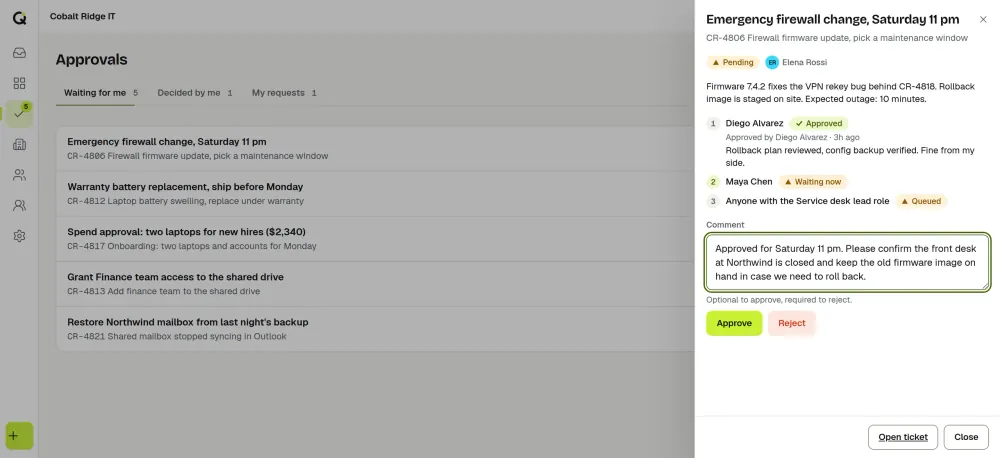
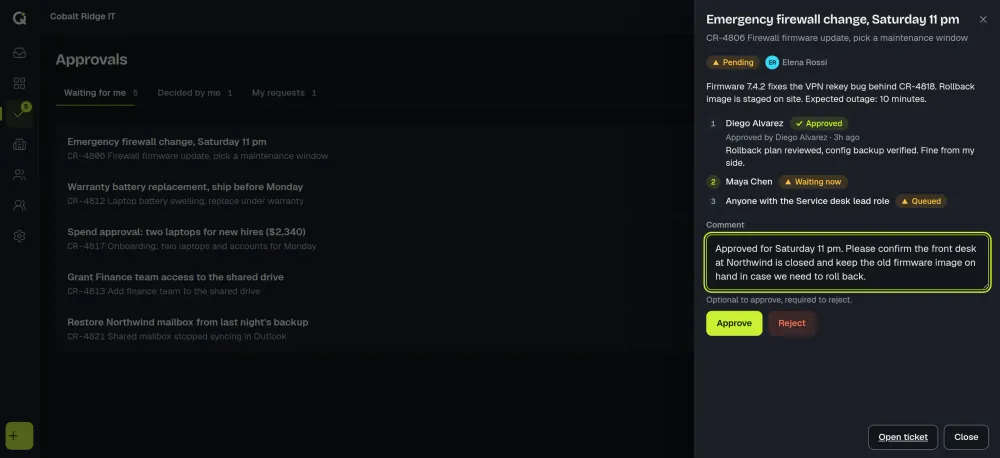
| Change | A record with what is changing, why, when, who approved it and how to roll it back. Pre-agree a short list of standard changes. | A scheduled advisory board. A named approver for each type of change often does the job. |
What “without a CMDB” means
A configuration management database (CMDB) stores the assets and services in your environment and the relationships between them, so you can see what depends on what. It is valuable and costly to keep accurate. Light ITSM works without one by relying on people’s knowledge of the environment and on the history in your tickets: a past incident on a server is findable by searching, even if the server is not modelled as a record.
When you need full ITSM
Light ITSM has limits, and it is better to know them early. You are likely to outgrow it, and to need a full ITSM suite, if any of these are true.
- An auditor or regulator expects documented change control, with approvals and a change calendar that can be produced on request.
- You run many interdependent services, and deciding whether a change is safe needs an accurate map of what depends on what.
- You need to track asset lifecycles, warranties or software licences as part of the service desk.
- Several teams must review changes together through a formal board.
- Field technicians must be dispatched and scheduled.
ActiveQ is not enough for those needs, and it does not try to be. We built it for teams that want a fast service desk with light ITSM on top.
How this maps to ActiveQ
A new workspace starts with the ticket types Incident, Request and Task, with Request as the default, and the priorities Urgent, High, Normal and Low; both can be changed under Settings, then Workflow. Problem and change are ticket types you add yourself under Settings, then Workflow, then Types. On a ticket, Add link connects it to another ticket as Parent of, Related, Duplicate of or Caused by, so incidents can be linked to the problem that caused them.
Forms under Settings, then Forms define the questions asked when a request is submitted, and portals present them to employees or clients. Approvals run as a visible chain with a decision and a comment at each step, and an Approvals page lists those waiting for you, those you decided and those you asked for. Response and resolution targets by priority are covered in the IT SLA guide.
For the plans and price, see pricing, or read how internal IT teams and MSPs use the product.
Statuses and the SLA clock are explained in ticket lifecycle and statuses, and metric terms in help desk metrics defined.
How ActiveQ does light ITSM
Change is a ticket type with approvals and links, rather than a change calendar or advisory board process, and ActiveQ has no asset management or CMDB. The knowledge base is a light one, with articles that get reviewed, a portal help center and suggestions on tickets.