How to write a first-response SLA
A first-response SLA is a written promise about how soon a person will reply to a new request. To make one a small team can keep, define what counts as a response, set a target for each priority, say when the clock runs, and state what happens when a target is missed.
Decide what counts as a first response
Most disputes about response times come from an unclear definition. Settle these points in writing before you pick any number.
- A person, not a robot. An automatic acknowledgement tells the requester that mail arrived, but it does not tell them anyone has read it. Most teams do not count it as the first response.
- A public reply, not a note. An internal note helps colleagues, but the requester cannot see it. Count only a reply the requester receives.
- A useful reply. A message that only says "looking into it" meets the letter of the promise. If you want more, say so, for example that the first reply must either answer the question or ask for the missing information.
- Which channel. If a request arrives by email and by portal, make clear that both start the same clock.
Choose targets from what you can meet
Start from your real record. Look at how long first replies took over the last month, and set targets you would have met at least nine times in ten. A target missed weekly is ignored, while a modest one met reliably builds trust. You can tighten it later.
Use targets that step down by priority, so urgent work gets a faster promise than routine work. Four levels are usually enough. The priority matrix guide explains how to choose the level, and the IT SLA guide has sample targets labelled as examples.
Say when the clock runs
The same four hours mean different things depending on whether they are counted around the clock or only while you are open. Spell it out.
Say which of business hours or calendar hours applies to each priority. Routine work is normally measured in business hours. Urgent work is sometimes measured in calendar hours, but only promise that if someone is available to answer at night. Name the time zone of the schedule, especially if your clients are in several, and state that the clock does not run on listed holidays and where the list is kept. The clock starts when the request is created in the system, not when someone first sees it.
The SLA calculator shows the due time for a given start, target and schedule, which helps when you want to check that a promise reads the way you intend.
State what happens on a miss
A promise with no consequence is a hope. The consequence does not have to be financial. Many small teams commit only to internal steps: the assignee and the team lead are told when most of the target has passed, and a missed target is reviewed. If you attach credits or other remedies, put them in the contract, and have a lawyer read the wording.
A plain-language template
Adapt the text below to your own numbers. The figures are placeholders, not recommendations.
First response means the first public reply from a member of our
team after a request is created. Automatic acknowledgements and
internal notes do not count.

We aim to give a first response within:
  Urgent  - [X] minutes, any time of day
  High    - [X] business hours
  Normal  - [X] business hours
  Low     - [X] business days

Business hours are [days, hours] in [time zone], excluding the
holidays listed at [place]. The clock starts when the request is
created.

If a target is about to be missed, the assignee and team lead are
notified. We review missed targets [weekly/monthly].
Setting it up in ActiveQ
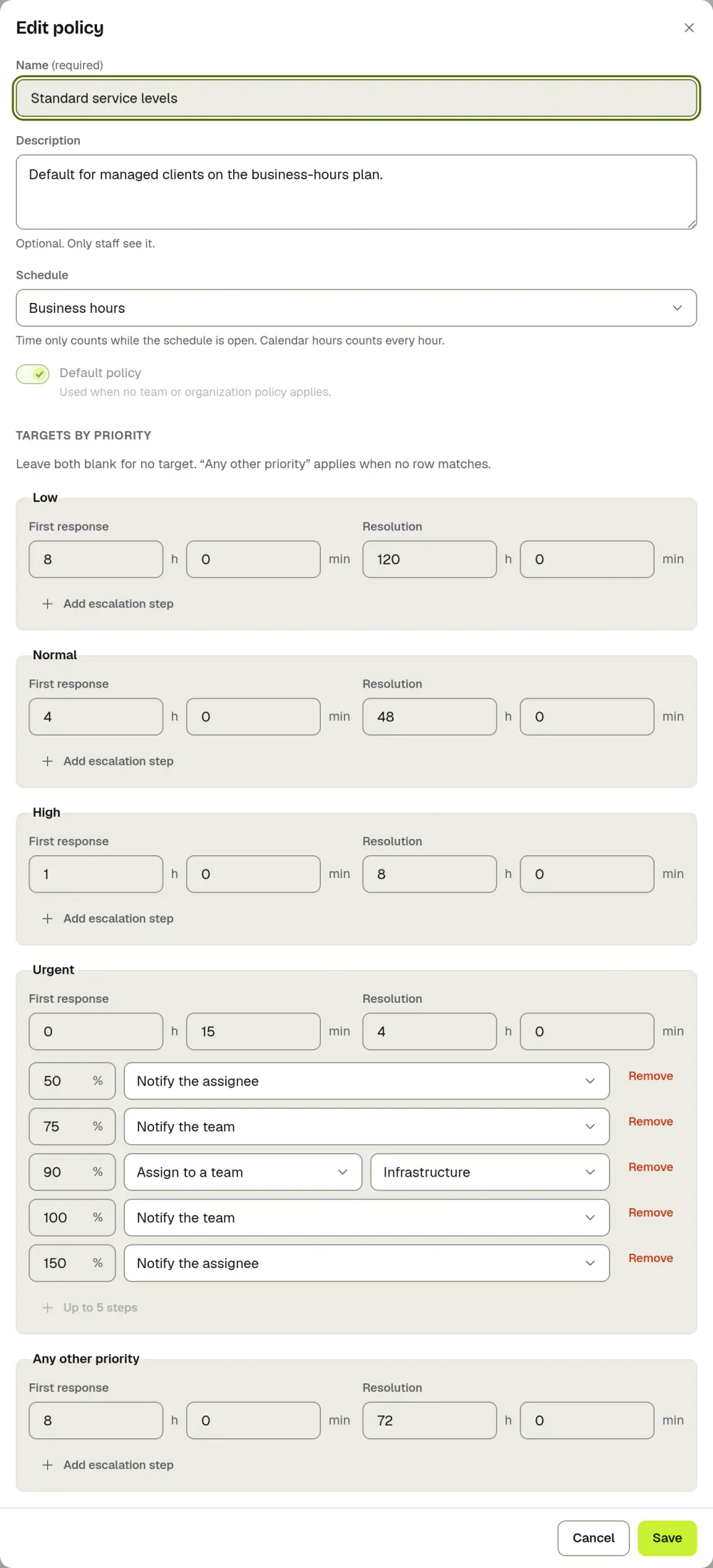
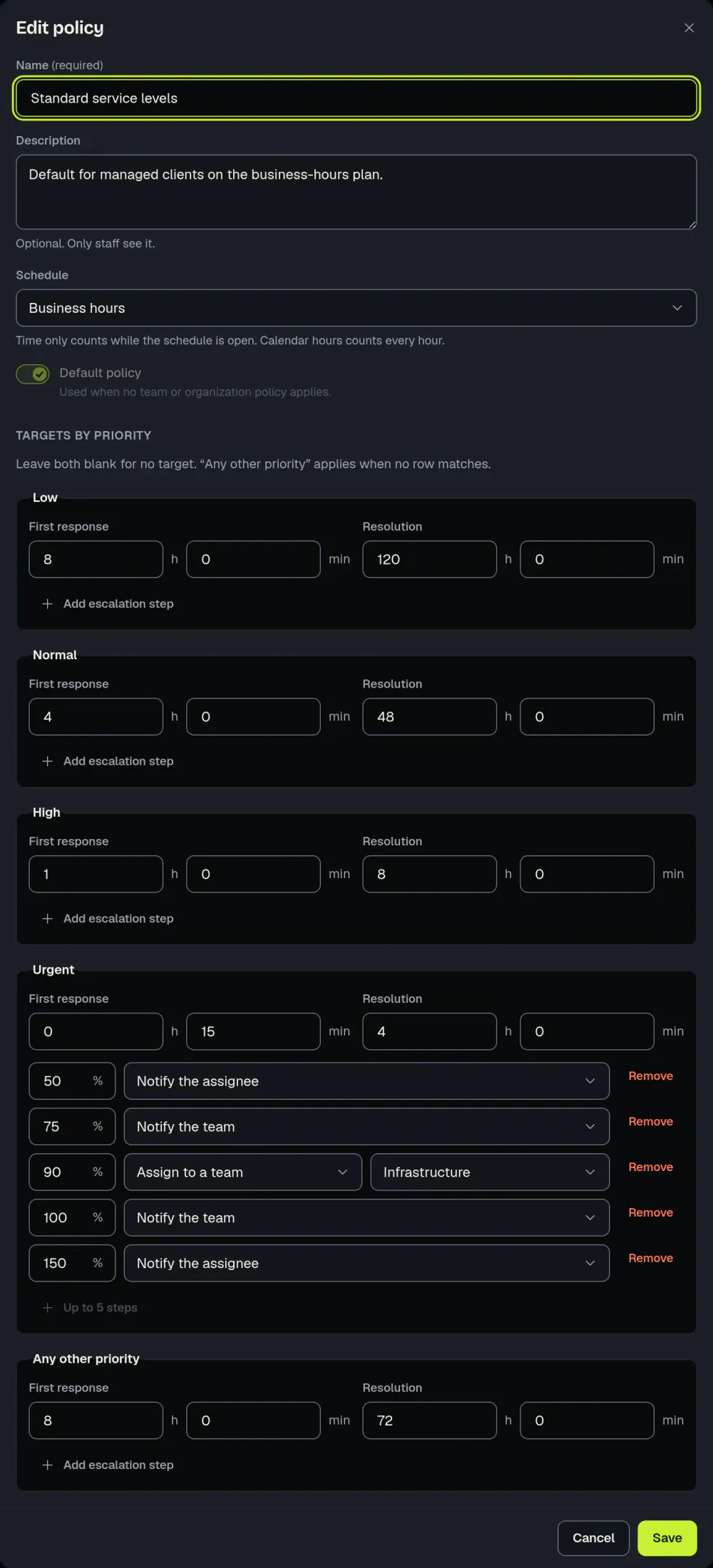
- Under Settings, then Service levels, a policy holds a first response target and a resolution target for each priority, in hours and minutes, with a fallback row for any other priority.
- A business hours schedule has a time zone, weekly windows and holidays. A policy can use the schedule or count calendar hours. You can add the US federal holidays in one step.
- Mark a status such as "Waiting on customer" as one that pauses the SLA, and the clock stops while a ticket is in it.
- Escalation steps fire at a percentage of the target and can notify the assignee or the team, assign the ticket to a team or set its priority.
- Each ticket shows a live countdown to its first response, and the SLA at risk view lists open tickets close to their target. See SLA management.
The countdown matters more than it sounds. A client in our beta told us the visual SLA timer was key to making their first-response and resolution targets.
To see how a due time is worked out, read business-hours SLA math and the metric definitions.